Your WordPress site is slow, or costs more than it should. Here is how we fixed one, four ways.
We took a real WordPress site, smartwebutah.com, and made it four ways, then timed each the same way. Every step is here with a picture. The live site was never touched.
Or stay as you are
You sell things, people log in, or you change the site daily. Nothing here is a must.
Path A: a frozen copy
Mostly pages people read, and it already looks right. Nothing to hack or update.
Path B: WordPress as the editor
You like writing in WordPress. Visitors get a fast, simple site.
Path C: start over
The design is tired and the writing is padded. Most work, best result.
Written 30 October 2026. Click around the versions: frozen copy, editor-stays, rewrite.
Which path is yours?
Denise runs a small consulting business. Her site is a blog, a few service pages and a contact page. She edits it twice a month and dreads the day it gets hacked. She asks: do I have to keep paying to keep this running? If your site looks like hers, start with Path A. If your shop or members matter, keep WordPress or move them to a hosted cart; we left both off the new smartwebutah.com on purpose, and the "what stops working" section explains why.
Where we started
smartwebutah.com had 73 pages and posts, a store, a members area and 12 online courses. It ran WordPress on a server in Helsinki. We measured five typical pages with Lighthouse, Google's free speed test (the one behind PageSpeed).

Path A: a copy that cannot break
A static site is a folder of finished pages. Nothing runs when someone visits, so there is nothing to hack and nothing to wait for.
- Save every public page as it looks today. A tool visits each page like a visitor and saves what it sees: 159 pages and about 90 MB of pictures and styles. It only looks; it changes nothing.
- Leave out what cannot be copied. The cart, checkout, accounts, shop, memberships and courses need WordPress running. We skipped them.
- Fix the links, then check every one. Links pointed at the live site; we pointed them at the copy. A small checker followed every link and picture in all 159 pages and found two broken links, both already broken on the live site.
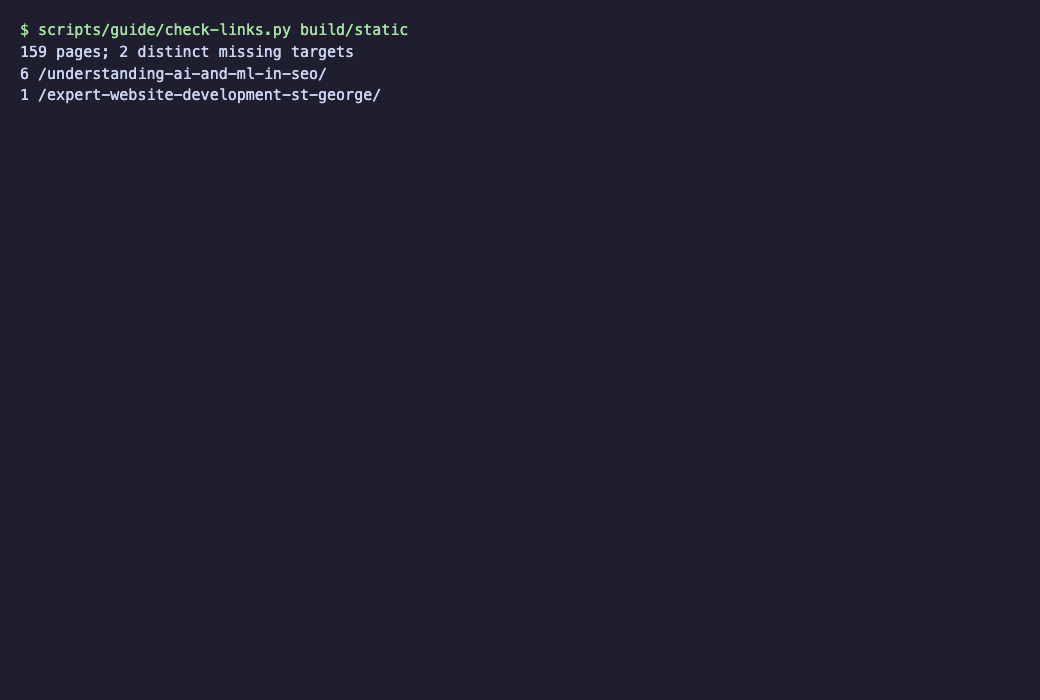
The link check. Two old links that were already dead. - Put the folder on Cloudflare Pages and give it an address. One command publishes it; one new line in the internet's address book (DNS) gives it
static.smartwebutah.com. The realsmartwebutah.comwas not changed.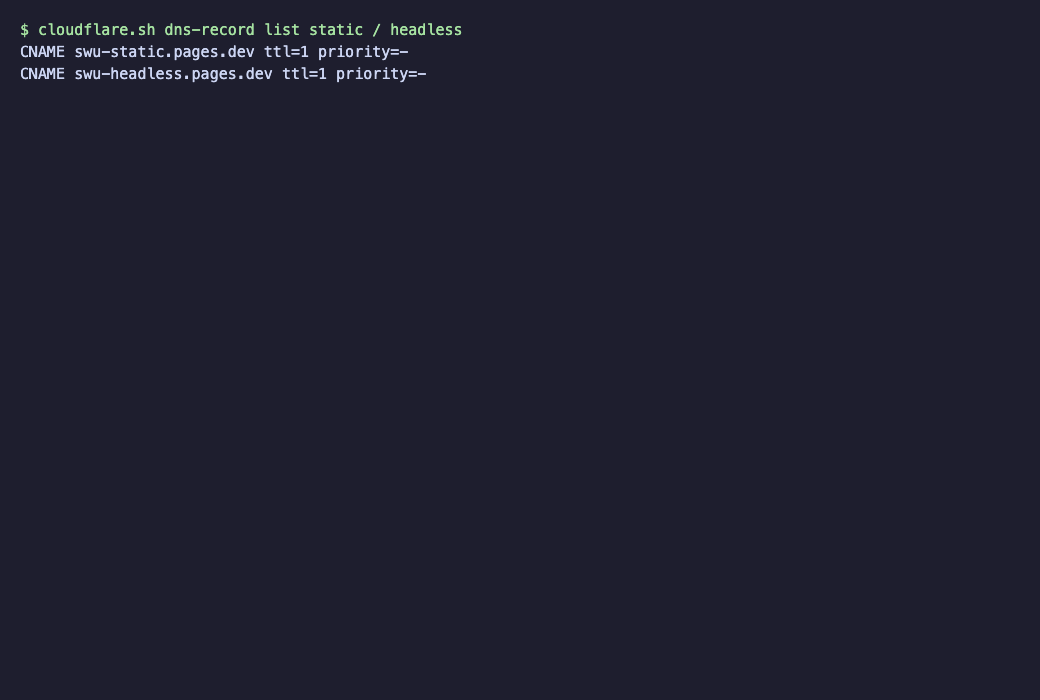
The only change to DNS: new entries, one per version.

What stops working, and what to do about it
A finished page cannot talk back. Anything that needs to remember or decide has to go somewhere else. This is what we found on smartwebutah.com, not what a checklist says.
| What | What we found | What we did |
|---|---|---|
| Comments | 41 posts accept comments; 15 comments exist. | The copy kept them as text and replaced the box with a note. The rewrite dropped them. To keep comments, use a hosted comment service, or keep WordPress. |
| Contact forms | No form plugin is installed; the contact page is plain text. | Nothing to fix. If you have a form, a hosted form service takes about ten minutes. |
| Search | There is no search box on the site. | Nothing to fix. If you have one, a free add-on called Pagefind adds a search box that works on finished pages. |
| The shop | 13 products, a cart and PayPal checkout. | Dropped (Seth's choice). If your shop matters, keep WordPress or use a hosted cart. |
| Memberships | 5 "active" subscriptions, all set to be paid by hand, with no card billing; $1 paid in 90 days. | Dropped. Nothing was charging anyone, so nothing needed cancelling. |
| Courses | 12 courses and 528 lessons, open to members. | Moved to sethshoultes.com/academy as ordinary free pages, every old address redirecting. |
Path B: keep WordPress for editing
WordPress stays where you write and press Publish. A separate, very small site fetches your pages from WordPress and shows them to visitors. People call this "headless": the editing room and the shop window are different buildings.
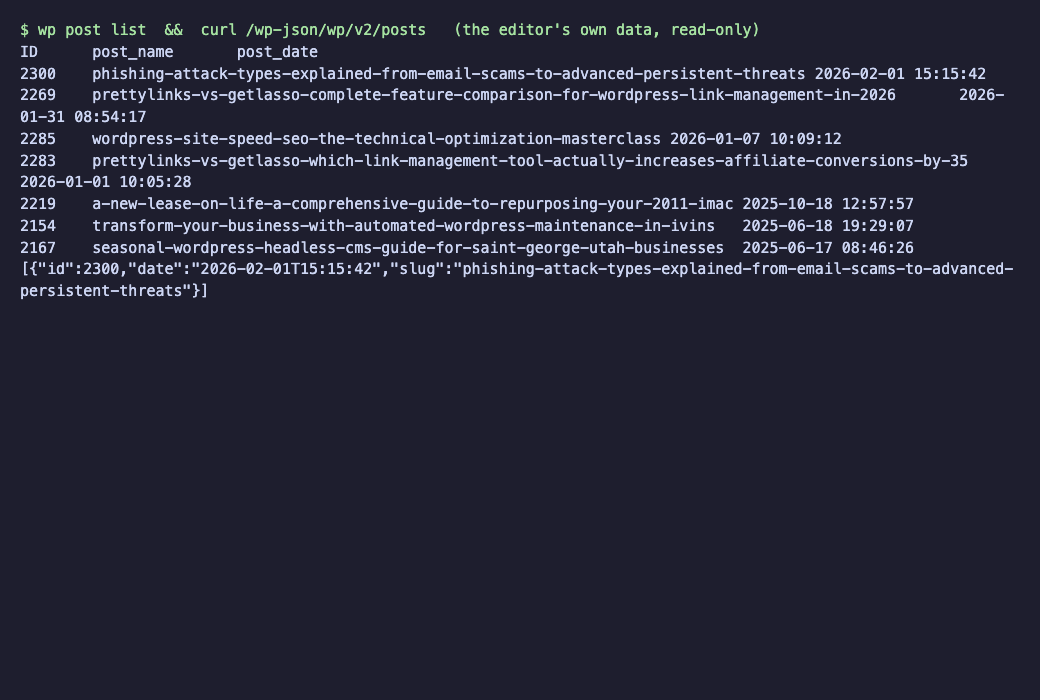
- Look at what WordPress already offers. It publishes its pages and posts in a plain list: 41 posts, 32 pages. No plugin needed.
- Build the shop window. We used Astro, a free tool that builds simple, fast sites. It asks WordPress for every post and page and makes a finished page for each, keeping every address the same. 60 pages in 11 seconds.
- Publish it and give it an address: Cloudflare Pages again, and
headless.smartwebutah.com.

New posts appearing by themselves. A post should show up a minute after you press Publish. That needs one small change on the live WordPress, which needs the owner's OK, and it has not been made. We will add the result here once it has been tested.
The cost of this path: the design is rebuilt, because the live theme does not carry over, and WordPress still has to be hosted and kept up to date.
Path C: start over, with the old words
In the end the owner chose none of the first three. The old design was tired and most of the old writing was padding. So we kept every idea worth keeping and rebuilt the site around it.
- Decide what goes, before anything goes. We went through all 73 pages and posts and wrote one list: keep, merge into another page, drop, or send to another site. 73 became 32 pages and posts; with the home page and a not-found page the site has 34. Every old address either keeps its path or redirects to its new home.
- Choose a look. We made three homepage mockups with the same words. The owner picked one, a warm red-rock look.
- Rewrite for a person. Each page was rewritten to say what a reader needs and nothing else. Every unsourced number and every case study that looked invented was cut, and a list of things the owner must confirm was written down.
- Make new pictures. Every old picture was dropped. 28 article pictures and one for the home page were made in one style, with no people and no lettering. The first set had garbled letters in a few, so they were remade.
- Build it, then check it. The site is 34 pages. We requested all 73 old addresses over the internet: 30 return a page and 43 redirect to a page that works.
- Have it reviewed. A designer reviewed it and scored design, message and craft out of 10. The first review gave 7, 7 and 6, and we fixed what it listed.


Did it get faster?
Yes, and the rewrite is the clearest win. We tested the same five pages on all four versions, five times each on a phone and on a computer, from the same machine, and show the middle result of the five. Higher scores are better; for the rest, lower is better. The full method is in docs/guide/benchmark-method.md; every run is in docs/guide/data/bench.csv.
On a phone: how the page scored
| Page | WordPress | Static copy | Headless | Rewrite |
|---|---|---|---|---|
| Home | 93 | 63 | 100 | 99 |
| Writing list | 90 | not on this version | 100 | 96 |
| Short post | 91 | 91 | 100 | 99 |
| About | 86 | 70 | 84 | 99 |
| Heaviest page | 71 | 72 | 100 | 99 |
On a phone: how long until the main picture shows
| Page | WordPress | Static copy | Headless | Rewrite |
|---|---|---|---|---|
| Home | 2.5 s | 6.7 s | 0.8 s | 1.6 s |
| Writing list | 2.9 s | not on this version | 0.8 s | 2.2 s |
| Short post | 2.6 s | 2.6 s | 0.8 s | 1.7 s |
| About | 3.0 s | 4.4 s | 4.5 s | 1.6 s |
| Heaviest page | 12.2 s | 7.6 s | 0.8 s | 1.6 s |
On a phone: how much has to download (kB)
| Page | WordPress | Static copy | Headless | Rewrite |
|---|---|---|---|---|
| Home | 976 | 1,020 | 4,850 | 162 |
| Writing list | 731 | not on this version | 20 | 258 |
| Short post | 732 | 761 | 21 | 112 |
| About | 1,288 | 1,320 | 550 | 127 |
| Heaviest page | 2,117 | 2,147 | 530 | 94 |
On a computer: how the page scored
| Page | WordPress | Static copy | Headless | Rewrite |
|---|---|---|---|---|
| Home | 86 | 98 | 85 | 98 |
| Writing list | 96 | not on this version | 100 | 99 |
| Short post | 95 | 99 | 100 | 99 |
| About | 90 | 99 | 97 | 100 |
| Heaviest page | 71 | 90 | 100 | 100 |
How long the server takes to start answering (phone test, ms)
| Page | WordPress | Static copy | Headless | Rewrite |
|---|---|---|---|---|
| Home | 354 | 94 | 95 | 116 |
| Writing list | 987 | not on this version | 90 | 566 |
| Short post | 1,155 | 102 | 94 | 211 |
| About | 1,219 | 105 | 91 | 156 |
| Heaviest page | 1,123 | 99 | 120 | 84 |
What to take from it
- The frozen copy and the editor-stays version answer in about 80 to 120 milliseconds, roughly ten times faster than WordPress, which takes 1 to 1.2 seconds on every page except the home page. The rewrite is slower than those two, at 84 to 570 milliseconds, and on a computer its home page started answering later than WordPress's (569 against 366). It still wins on how much it makes the phone download.
- The frozen copy was not a clear win. It still carries the same big pictures, and pictures are what make a page slow. On a phone its home page scored lower than the original. Compress your images before you copy.
- The headless 100s are not a fair comparison. That front end is much plainer, and some of its pages carry almost no pictures. Its home page downloads 4.9 MB because one large picture was left in.
- The rewrite scores 96 to 99 on a phone on every page and downloads about 90 to 260 kB for a page, against 730 kB to 2.1 MB on WordPress. That is the real gain: fewer, smaller pictures and less stuff on the page.
What it costs
- Hosting: Cloudflare Pages has a free plan, and all three new versions run on it. Nothing in this project needed a new monthly bill.
- Pictures: the 28 article pictures and the home picture cost about $1 in image services.
- Time: the copy took an afternoon. The rewrite took a day, most of it deciding what to cut and checking facts.
- WordPress hosting: you can stop paying for it after the rewrite, once you have kept a read-only backup for a month. On this project the server also runs other sites, so the saving depends on your case.
What went wrong along the way
- Google's free speed test ran out of quota. We ran the same engine, Lighthouse, on our own computer instead.
- A new address looked dead for ten minutes on one computer, which had remembered "no such address". The site was fine. Check from another network before you worry.
- A removed page kept showing. Cloudflare held on to its copy of
/shop/. After you republish, clear the cache for removed pages. - Every wrong address showed the home page, not an error, which hides broken links. A plain "page not found" page fixed it.
- Some early pictures had garbled lettering. The first review caught it. Ask for no text in a picture, and look at every one.
- Almost everything the old posts said about speed was unsourced. The rewrite cut it. If you copy old writing, check its numbers first.
What to do next
Pick the path in section 1. Start with the copy: it takes an afternoon, costs nothing, and the real site stays exactly as it is until you say go. If you are going to rewrite, write the keep, merge and drop list first.
Everything we ran is in the repository (scripts/guide/ and scripts/rewrite/), one small script per step, so you or your developer can repeat it on your own site.